As a WebdriverIO user, is there any seamless way to manage environment variables, especially when dealing with multiple environments like staging, prod, etc., each having different URLs, credentials, and configuration settings?
Hello @neha_agarwal
As stated in the official WebdriverIO documentation, it is suggested to use .env files (containing the respective environment variables).
This is because WebdriverIO loads .env files automatically into your environment.
Simply create a .env file in the project (e.g., .env.mobile) and set the environment variables in it.
TEST_ENV=mobile
TEST_URL=https://mictests.com/check
Next, load the environment file preferably in the WebdriverIO configuration file.
import dotenv from 'dotenv';
/* Load environment file */
const env = process.env.TEST_ENV || 'mobile';
dotenv.config({ path: `.env.${env}` });
Finally, use the environment variables in the test code!
const env = process.env.TEST_ENV;
const testUrl = process.env.TEST_URL;
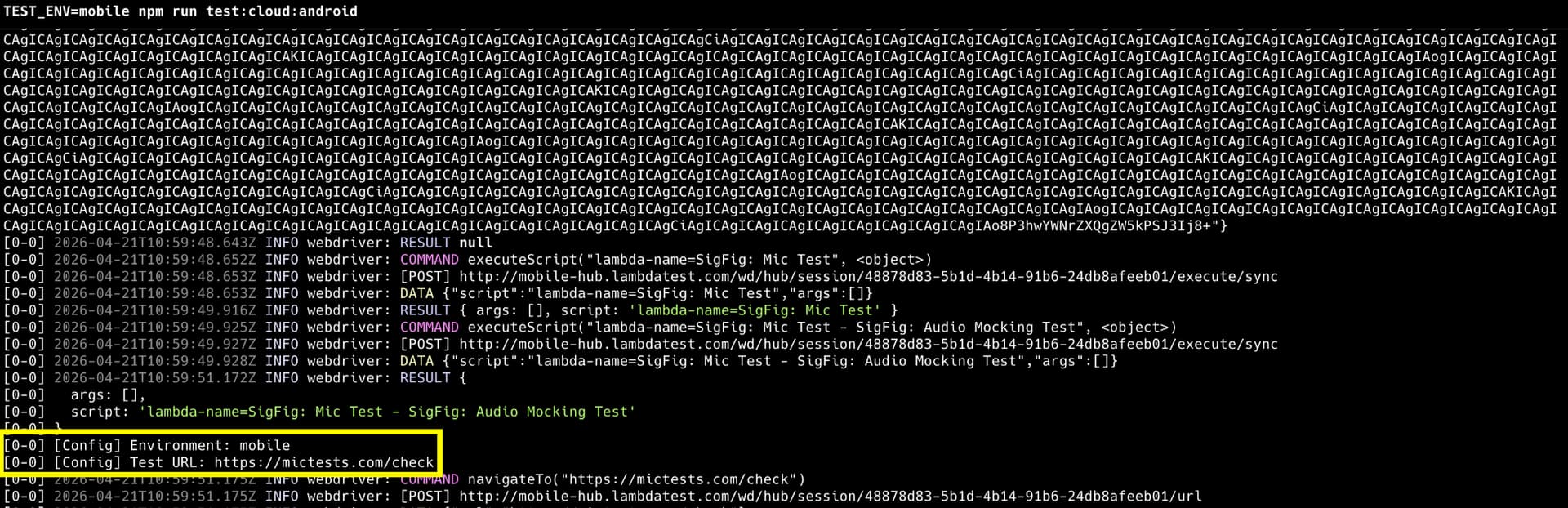
console.log("[Config] Environment:", env);
console.log("[Config] Test URL:", testUrl);
You can find more details in the following commits - 1, 2.
Here is a sample execution snapshot:
Hope this was helpful. In case of any doubts or queries, feel free to reach out to us.